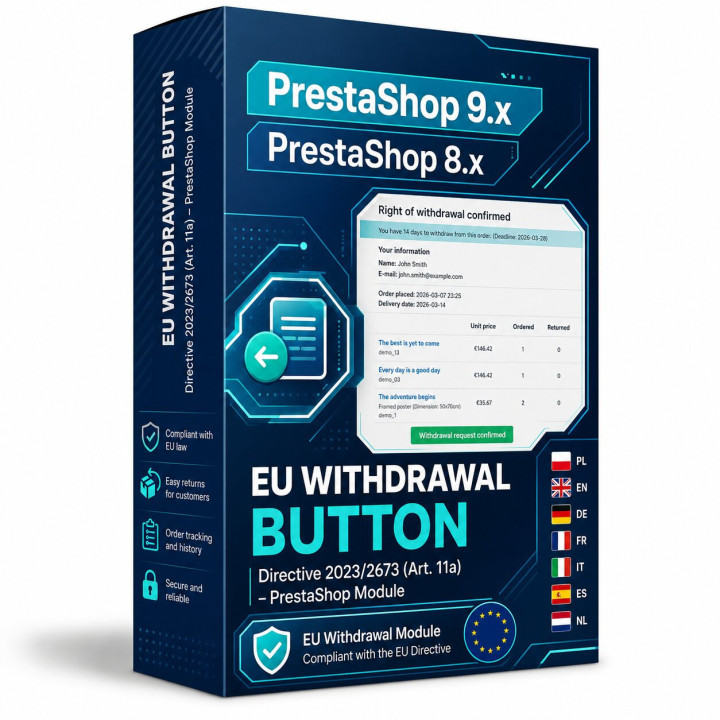
EU Withdrawal Button for PrestaShop – a module for online right-of-withdrawal requests under Directive (EU) 2023/2673
EU Withdrawal Button is a PrestaShop module that helps online stores implement a clear online withdrawal function for consumers. The solution has been designed with the upcoming requirements of Directive (EU) 2023/2673 in mind, including the new Article 11a added to the Consumer Rights Directive 2011/83/EU.
In practical e-commerce language, this function is commonly described as a withdrawal button, right-of-withdrawal button, “withdraw from contract here” function or one-click withdrawal. The consumer should be able to submit a withdrawal statement in a simple, unambiguous and easily accessible way – without searching for a PDF form, writing a separate email or reading the entire terms and conditions just to find the correct procedure.
The module connects the PrestaShop front office, online withdrawal form, confirmation step, durable-medium email acknowledgement and back office request management. As a result, the merchant receives an organised workflow: from the customer clicking the withdrawal button, through email confirmation, to evidence-based handling of the request in the PrestaShop back office.
Important deadline: the new online withdrawal function requirements are widely discussed in connection with 19 June 2026. This gives online merchants time to prepare their store, terms and conditions, customer communication and technical handling of withdrawal requests in advance.
Why does an online store need a withdrawal button?
In e-commerce, concluding a contract is fast and convenient. A consumer can add a product to the cart, complete payment and enter into a distance contract online within minutes. The new rules are designed to make exercising the right of withdrawal similarly simple and accessible.
EU Withdrawal Button for PrestaShop supports the technical side of that requirement. The customer sees a clear button, submits an online withdrawal statement through a form, confirms it in a second step, and the store receives a recorded request with the date, time, scope and order-identifying details.
This is not only a UX improvement. It is a compliance-oriented tool for PrestaShop merchants who want to reduce manual return handling, preserve evidence of withdrawal requests and prepare for consumer-rights expectations in digital commerce.
Risk of not implementing the withdrawal function correctly
A missing or incorrectly implemented withdrawal journey may create more than operational inconvenience. It may also increase legal, administrative and financial risk for the merchant. If a consumer cannot easily access information and a tool for submitting an online withdrawal statement, the store may face allegations of failing to comply with consumer protection obligations.
Under Polish consumer protection rules, an administrative fine for practices infringing collective consumer interests may reach up to 10% of the trader’s annual turnover. This does not mean that every technical mistake automatically results in a fine, but it shows the scale of risk for e-commerce businesses that ignore consumer information duties and process requirements.
There is also the risk of extending the withdrawal period. If the consumer has not been properly informed about the right of withdrawal, the period for exercising that right may be extended by up to 12 months after the standard withdrawal period. In practice, this may mean a longer period of uncertainty for the store, more difficult returns logistics and a higher risk of consumer disputes.
The module helps reduce that risk on the technical side: it provides a visible withdrawal function, records the request, sends an acknowledgement of receipt and gives the administrator tools to handle the whole process.
Main module features
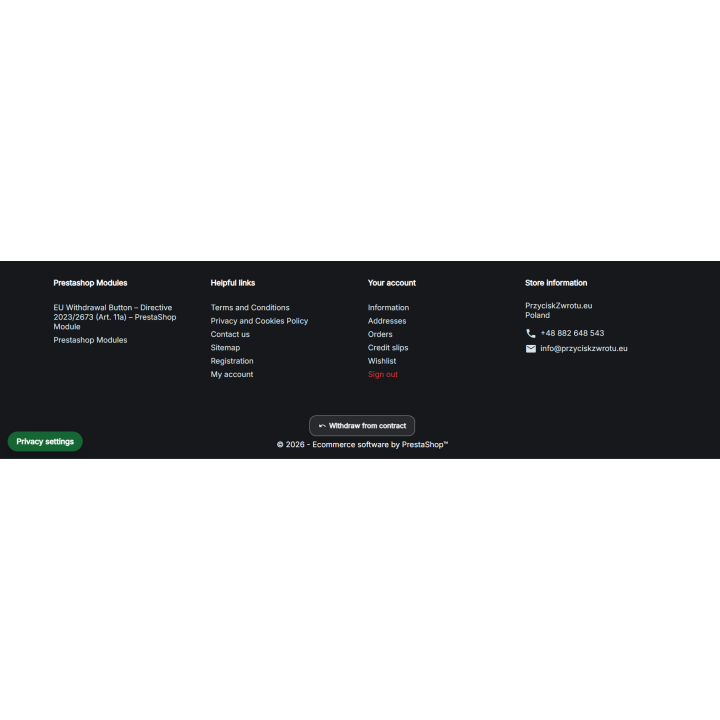
- Visible “Withdraw from contract” button – available in key areas of the store.
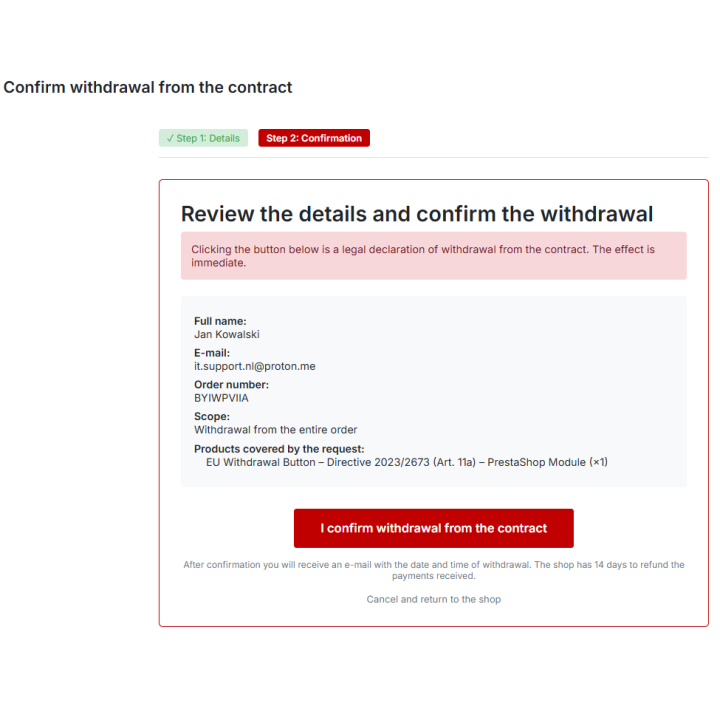
- Two-step withdrawal process – request form and separate confirmation screen.
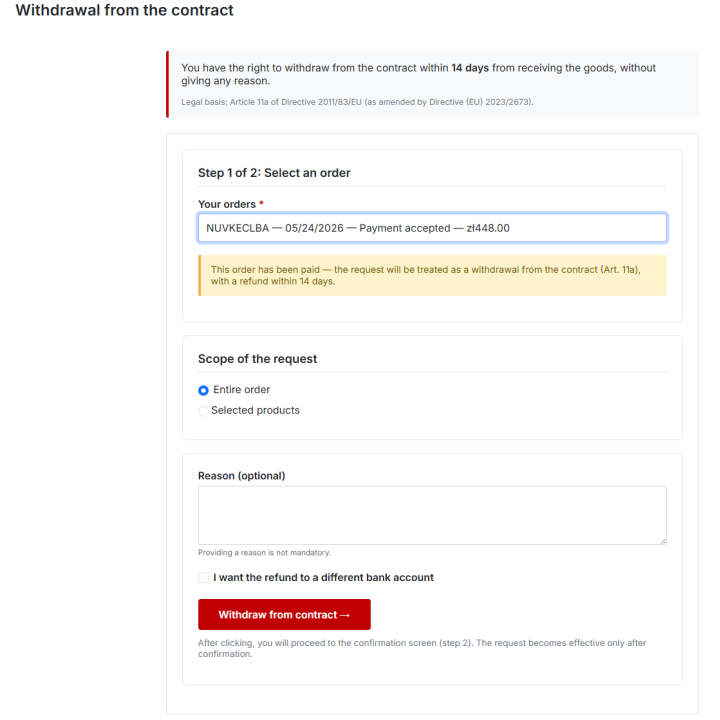
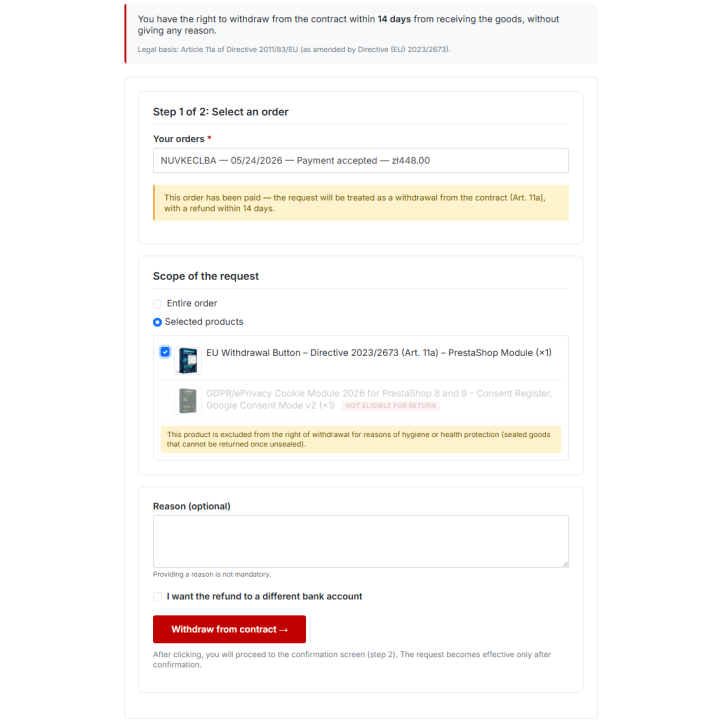
- Full and partial withdrawal – the customer may withdraw from the whole order or selected order items.
- Withdrawal vs unpaid order cancellation – separate handling for paid and unpaid orders.
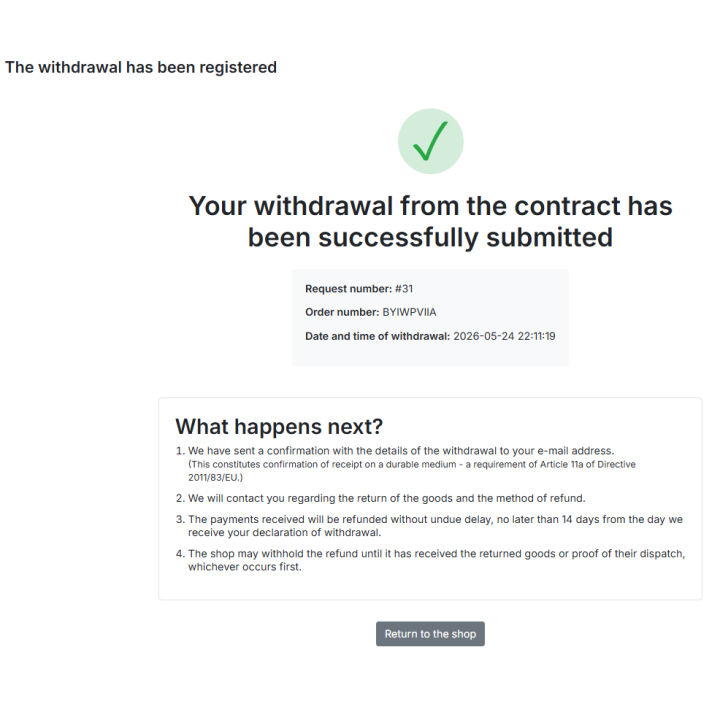
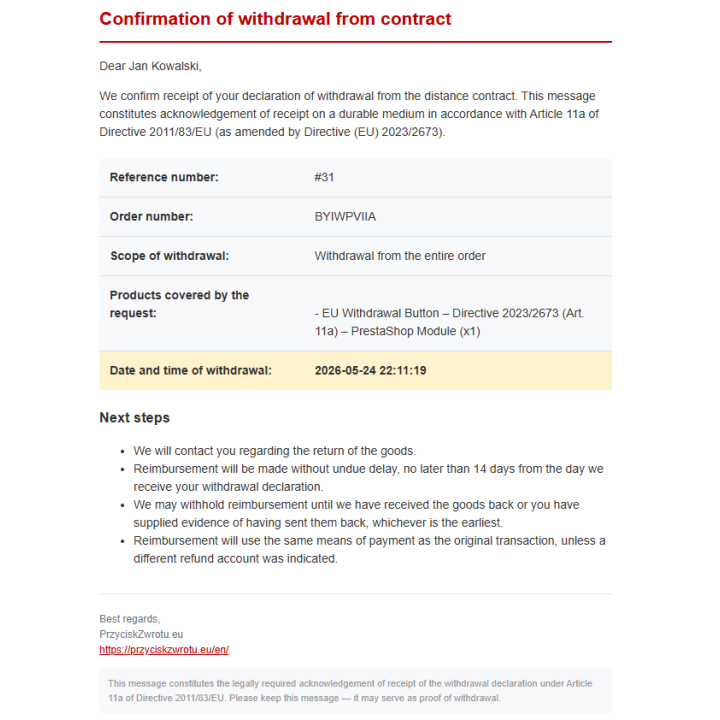
- Durable-medium acknowledgement – automatic customer email with the date, time and content of the withdrawal statement.
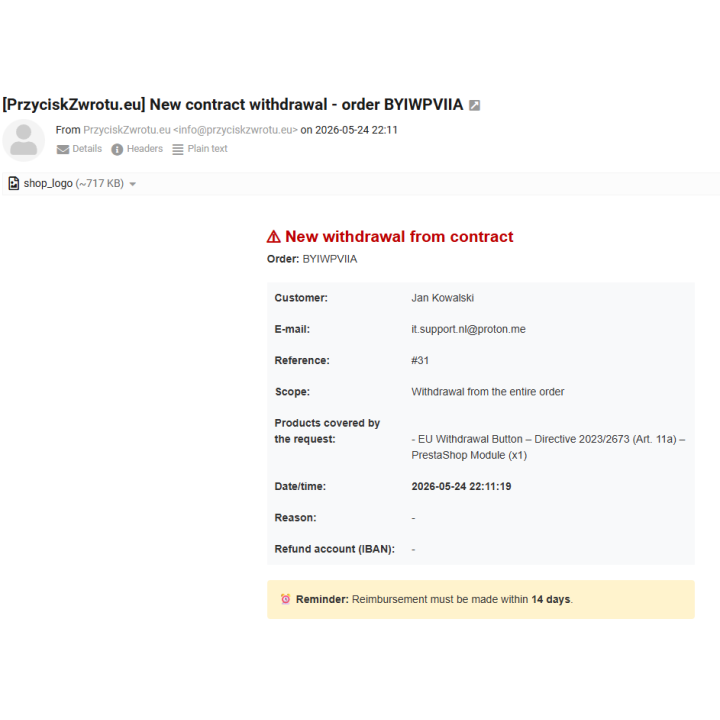
- Merchant notification – administrative email notification about a new request.
- Registered customers and guest customers – withdrawal request without an account, using the order reference and email address.
- Withdrawal period calculated from delivery – the store can define the order status that marks delivery of the goods.
- Optional IBAN field – the customer may provide a bank account for refund purposes, if the store enables this option.
- Product and category exclusions – handling of statutory exceptions to the right of withdrawal.
- Back office request management – request list, filters, statuses, details, internal notes and attachments.
- Withdrawal request statistics – quick view of all and pending requests.
- Multilingual email templates – prepared for key EU sales languages.
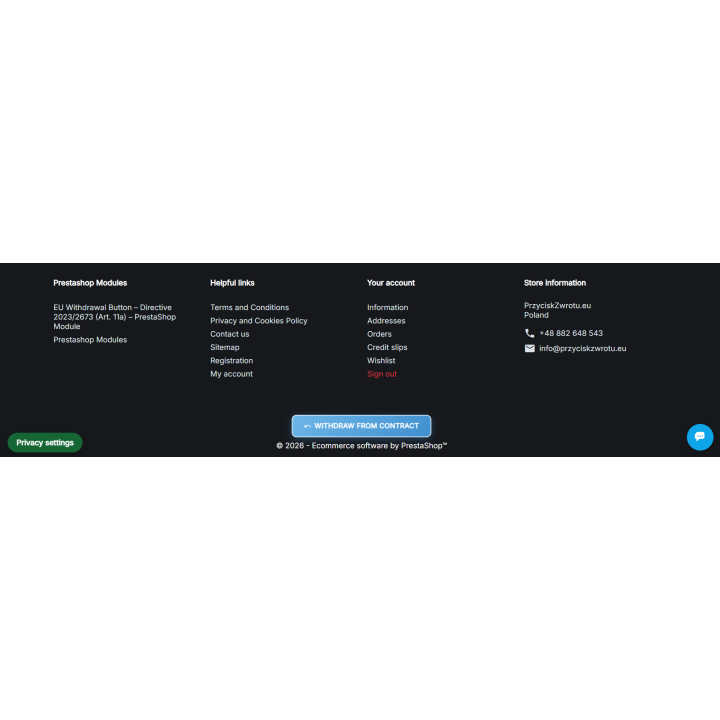
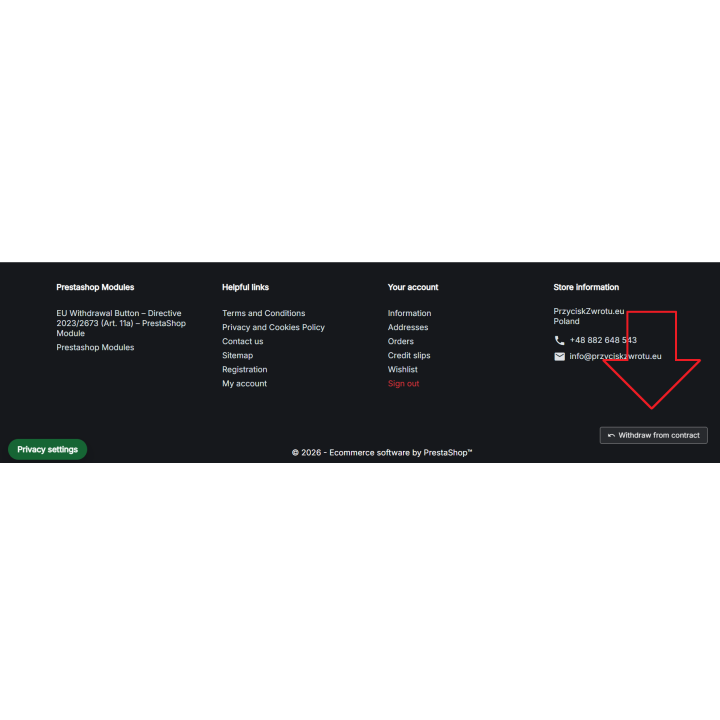
- Configurable button appearance – label, colour, footer position, light/dark variant and custom CSS.
- Withdrawal page SEO settings – meta title, meta description and noindex option.
- Domain-based licence – the module is assigned to a specific store/domain.
- Self-repair mechanism – automatic restoration of module settings and integrations, including after a theme change.
- Safe data retention – withdrawal records remain in the database after module uninstallation, preserving request history.
- No subscription – one-time module purchase, without a monthly usage fee.
Withdrawal process step by step
1. The customer finds the withdrawal button
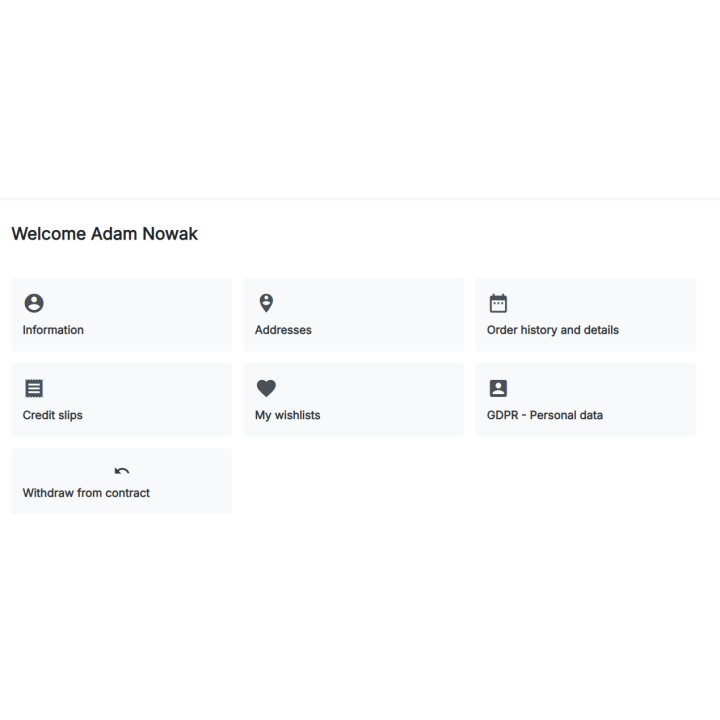
The function can be available in the footer, in the customer account and in the order details page. This makes the withdrawal function visible, easy to find and aligned with the direction of the new EU requirements.
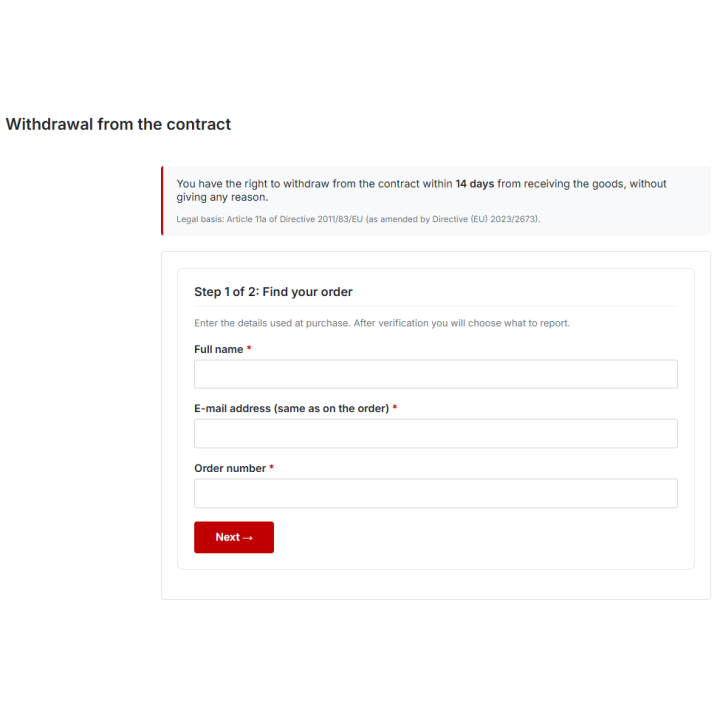
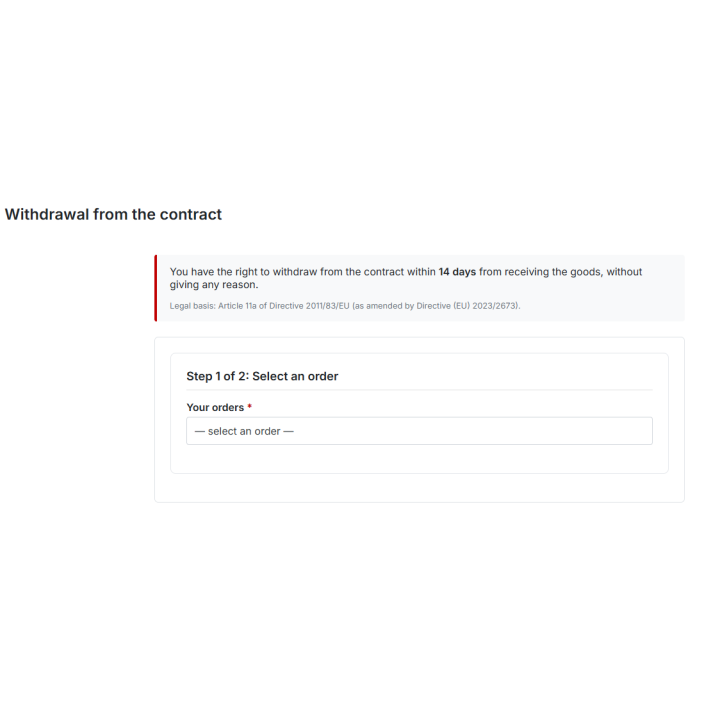
2. The customer fills in the withdrawal form
The customer selects or identifies the order, chooses the scope of the request and provides the required details. Guest customers can identify the order using the order reference and the email address used during checkout.
3. The customer confirms the withdrawal statement
In the second step, the customer sees a summary of the request, order details and items covered by the withdrawal. Only after clear confirmation is the withdrawal statement recorded in the system.
4. The system sends the acknowledgement
After confirmation, the customer receives an email acknowledgement of receipt of the withdrawal statement, while the store receives a separate administrative notification. The request is also saved in the PrestaShop back office.
Button and appearance configuration
The module allows the withdrawal button to be visually adapted to the store’s design without editing the theme code. The administrator can configure, among other things:
- button label for the store languages,
- button colour,
- footer link visibility,
- footer display variant – light or dark,
- button position in the footer,
- custom CSS rules for the button.
Custom CSS makes it possible to adjust the background, text colour, border, border radius, padding, shadow, font weight and other visual details. This is especially useful for implementation agencies and stores that want to keep the withdrawal function consistent with their PrestaShop theme, landing pages and footer design.
Self-repair mechanism and data retention
The module includes a self-repair mechanism that helps keep the configuration stable after changes in the store. If the PrestaShop theme is changed, hooks are rebuilt or settings are refreshed, the module can automatically restore its key settings and integrations so that the withdrawal button remains available in the appropriate parts of the front office.
This is particularly important for stores that regularly update their theme, change layout, test new templates or carry out implementation work. The self-repair mechanism reduces the risk that, after a theme change, a legally relevant function disappears from the front office or stops being correctly attached.
The module is also designed with safe request-history retention in mind. After module uninstallation, withdrawal records are not automatically deleted from the database. This helps the store preserve request history, confirmation dates, handling statuses and evidence that may be needed in a complaint, audit, consumer dispute or internal compliance review.
Product and category exclusions
Not every product is subject to the standard right of withdrawal. The module allows the merchant to indicate products and categories that should be excluded from the withdrawal procedure, for example due to hygiene, health protection, personalisation or the nature of the goods.
- Exclusion by product ID – for specific products.
- Exclusion by category ID – for whole product groups.
- Multilingual exclusion notice – customer-facing message explaining why a given item cannot be withdrawn.
- Mixed-order handling – the customer may submit a request for items that are not excluded.
This makes the module suitable for stores selling cosmetics, underwear, food, hygiene products, sealed goods and personalised items.
Back office request management in PrestaShop
The module includes a dedicated Withdrawal Requests area for handling consumer withdrawal statements directly in the PrestaShop back office. The administrator receives not only an email notification, but also a complete record of each case.
Withdrawal request list
The request list includes, among other data:
- request ID,
- request date,
- order reference,
- customer name,
- email address,
- request scope: full or partial,
- case status,
- confirmation email status,
- action to view request details.
Filters are available by date, order reference, customer, email address, scope, status and confirmation-sent date. This makes day-to-day work easier when the store receives more withdrawal requests.
Handling statuses
The administrator can move the request through the following handling stages:
- Pending,
- Confirmed,
- In progress,
- Refunded,
- Rejected.
Internal notes and attachments
An internal note and an attachment, such as refund payment proof, can be added to a request. Supported formats include PDF, JPG, JPEG, PNG and GIF, with a limit of up to 10 MB.
Request details
The request details view contains data needed for handling and evidence purposes: request date, confirmation date, confirmation email status, scope, case status, IP address, language, customer details, order reference and items covered by the withdrawal.
Such a record can be useful in the event of a complaint, consumer dispute, internal quality check or inquiry from a consumer protection authority.
Withdrawal page SEO settings
The withdrawal form page is primarily a functional page, so the module lets the merchant control its basic SEO settings:
- meta title,
- meta description,
- noindex, which prevents the form page from being indexed.
This allows the product page of the module to be optimised for search engines, while the technical withdrawal form can remain controlled and hidden from search results if needed.
Multilingual support and EU sales
The module has been prepared for stores serving customers from different EU countries. Email templates and customer-facing messages can work in multiple languages, with the most important EU sales languages prepared in the module. For other language versions, a safe English fallback can be used.
This is important for cross-border sellers who want a consistent online withdrawal process regardless of the customer’s language.
Who is this module for?
- online stores running on PrestaShop,
- merchants selling to consumers in the European Union,
- stores preparing for the requirements of Directive (EU) 2023/2673,
- agencies implementing PrestaShop stores and compliance solutions,
- stores selling cosmetics, underwear, food, hygiene products or personalised goods,
- e-commerce businesses that want to organise returns, withdrawal statements and request documentation.
Benefits for the store
- Better return organisation – less manual email handling and less operational chaos.
- Clear customer journey – the consumer knows where and how to submit a withdrawal statement.
- Request evidence – date, time, scope, customer, order, IP address and confirmation status.
- Back office workflow – statuses, filters, notes, attachments and request details.
- Design consistency – colour, label, footer placement and custom CSS.
- Theme-change resilience – self-repair mechanism helps restore module settings after template changes.
- Request-history protection – withdrawal records remain in the database after module uninstallation.
- Process compliance support – a technical withdrawal function built into the PrestaShop store.
- Lower operational risk – organised workflow instead of scattered emails and manual notes.
Technical compatibility
- Platform: PrestaShop 9.x and PrestaShop 8.x.
- PHP: 8.1 or newer, in line with PrestaShop 9 requirements.
- Themes: compatible with Classic, Hummingbird and themes following PrestaShop standards.
- Licence: domain-based licence for one store.
Frequently asked questions
Can a store be fined for not implementing a withdrawal button?
Failure to correctly implement consumer obligations may increase the risk of proceedings and penalties. In matters involving practices infringing collective consumer interests, the maximum fine may reach up to 10% of the trader’s annual turnover. Whether a fine is justified and how high it may be always depends on the specific case.
Can missing withdrawal information extend the withdrawal period to 12 months?
Yes. If the consumer has not been properly informed about the right of withdrawal, the period for exercising that right may be extended by up to 12 months after the standard withdrawal period.
Does the module replace the store’s terms and conditions?
No. The module helps implement the technical online withdrawal function, but the store’s terms and conditions, returns policy and internal handling procedures should be adjusted separately.
Can the customer withdraw from only part of the order?
Yes. The module supports full and partial withdrawal, meaning a request may cover selected products from the order.
Does the module handle products excluded from the right of withdrawal?
Yes. The merchant can define excluded products and categories, and display an appropriate customer-facing notice explaining why a given item cannot be withdrawn.
Does the customer receive an email acknowledgement?
Yes. After confirming the request, the customer receives an email acknowledgement of receipt of the withdrawal statement, including the date, time and content of the request.
Does the module work for guest customers?
Yes. Guest-customer support can be enabled, allowing the customer to identify the order using the order reference and email address.
Does the module preserve request history after uninstallation?
Yes. Withdrawal records remain in the database after module uninstallation. This is an intentional safeguard, because request history, confirmation dates, statuses and evidence may still be needed after a technical change or store rebuild.
Can the module handle a PrestaShop theme change?
The module includes a self-repair mechanism that helps restore module settings and integrations after store changes, including a graphic theme change. This makes the withdrawal function more resilient during implementation work and design updates.
Important disclaimer
The module does not replace the store’s terms and conditions or individual legal advice. It supports the technical implementation of the online withdrawal function, but the merchant should also ensure that the terms and conditions, returns policy, consumer information, statutory exceptions and internal handling process are properly adapted.
Summary
EU Withdrawal Button for PrestaShop is a module for stores that want to prepare for Directive (EU) 2023/2673 and Article 11a, organise the online right-of-withdrawal process and reduce the risk of incorrect handling of consumer rights.
The module adds a withdrawal button, online form, second confirmation step, automatic emails, back office request management, statuses, notes, attachments, product and category exclusions, advanced visual configuration with custom CSS, a self-repair mechanism after store changes and safe retention of request records in the database. It is a complete solution for PrestaShop merchants who want to implement a withdrawal button in a clear, practical and e-commerce-ready way.



Comments (0)
Your review appreciation cannot be sent
Report comment
Report sent
Your report cannot be sent